Professionals use these secret iPhone settings when they're recording videos

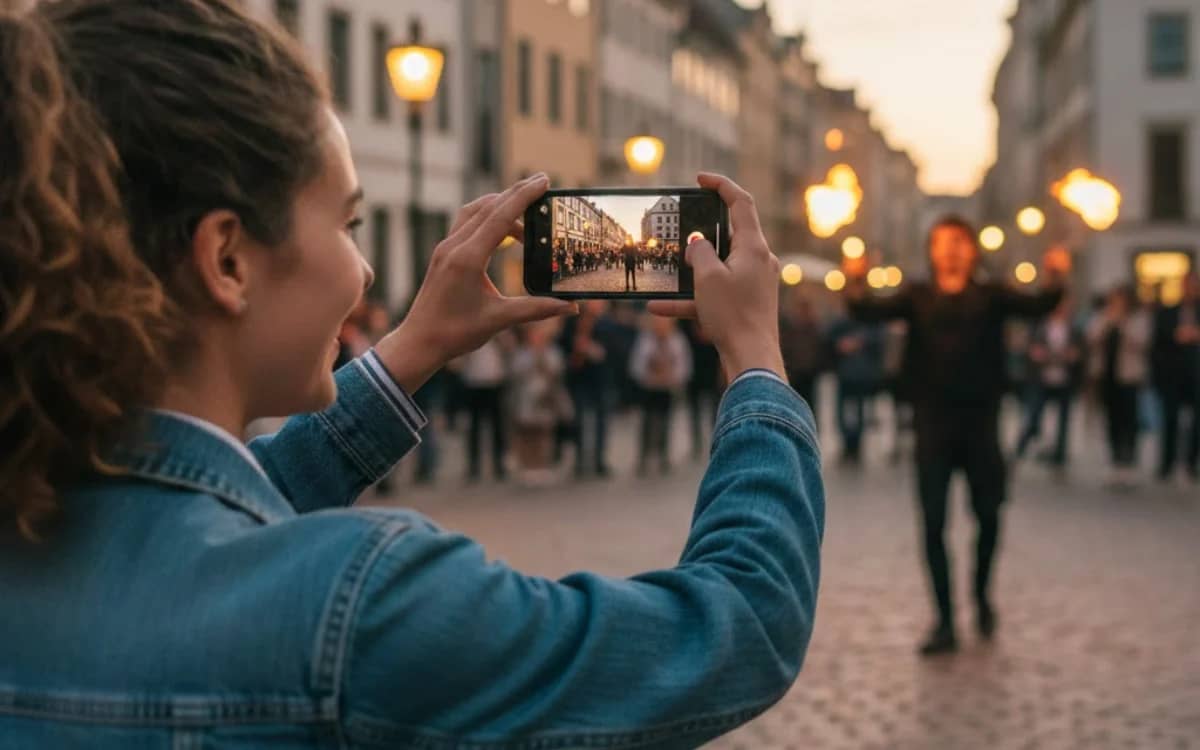

iPhone video quality has reached a point where the hardware itself isn’t the problem anymore.
What separates everyday clips from professional-looking footage usually comes down to how the camera is set up before recording even starts.
Most people never touch those camera settings, because Apple’s defaults are designed to be automatic, forgiving, and fast.
But this is a breakdown of the exact iPhone video settings professionals rely on, so you too can produce top-tier content.
DISCOVER SBX CARS – The global premium auction platform powered by Supercar Blondie
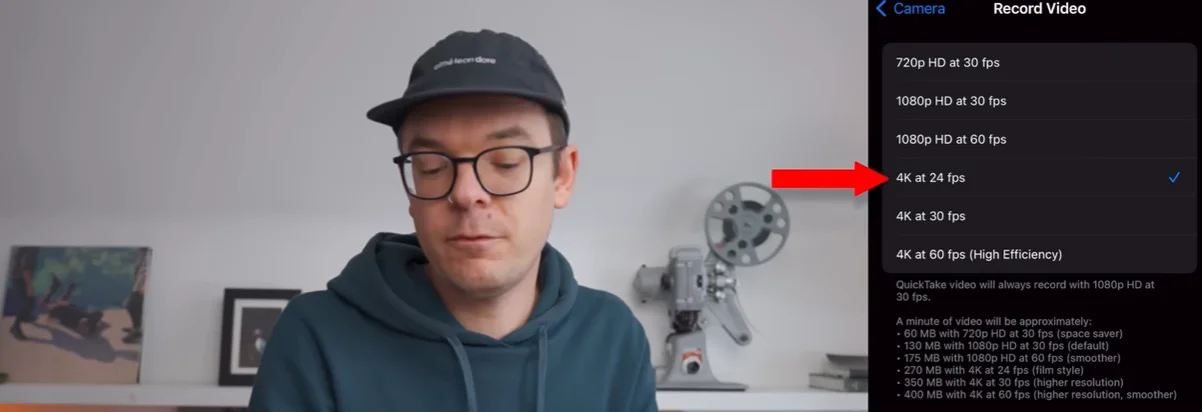
4K resolution
According to a video by iPhone Photography School, professionals almost always shoot in 4K, even when the final video will be exported in 1080p.
The reason is flexibility.
Higher resolution gives more detail, cleaner compression, and room to crop or stabilize footage in post without destroying quality.
The only real downside is storage, which is why pros check available space before filming instead of finding out too late.
24fps frame rate
This is where iPhone footage starts to feel cinematic.
Shooting at 24fps creates motion that looks more natural and less hyper-smooth, which is why it’s still the standard for film and narrative video.
Higher frame rates like 30fps or 60fps are useful for fast action or social content, but 24fps is usually the first choice for professionals.
Click the star icon next to supercarblondie.com in Google Search to stay ahead of the curve on the latest and greatest supercars, hypercars, and ground-breaking technology
Enhanced stabilization
Even small hand movements can make footage feel amateur.
Enhanced stabilization helps smooth out shake when filming handheld or while moving.
It won’t fix crazy camera movement, but it does enough subtle correction to make clips feel calmer and more deliberate.
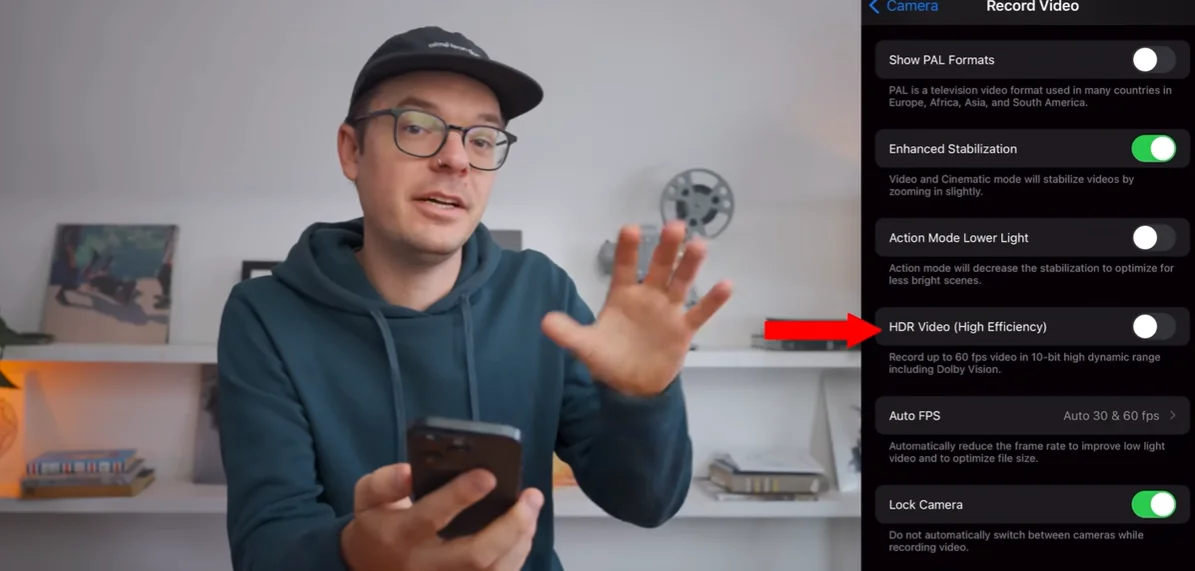
HDR video
HDR makes videos look bold straight out of the camera, boosting contrast and color automatically.
That’s great if you want to post immediately.
Many professionals turn it off, though, because HDR footage can be harder to edit and limits how much control you have over the final look.
Lens lock
Automatic lens switching sounds helpful, until it happens halfway through a shot.
Locking the lens prevents sudden jumps in framing, exposure, and perspective, which can instantly break immersion.
For longer takes, this setting makes a noticeable difference.
White balance lock
Auto white balance constantly adjusts to changing light, sometimes during a single clip.
Locking it keeps colors consistent, which matters when shots are edited together later.
Consistency beats accuracy every time.


Slow motion frame rates
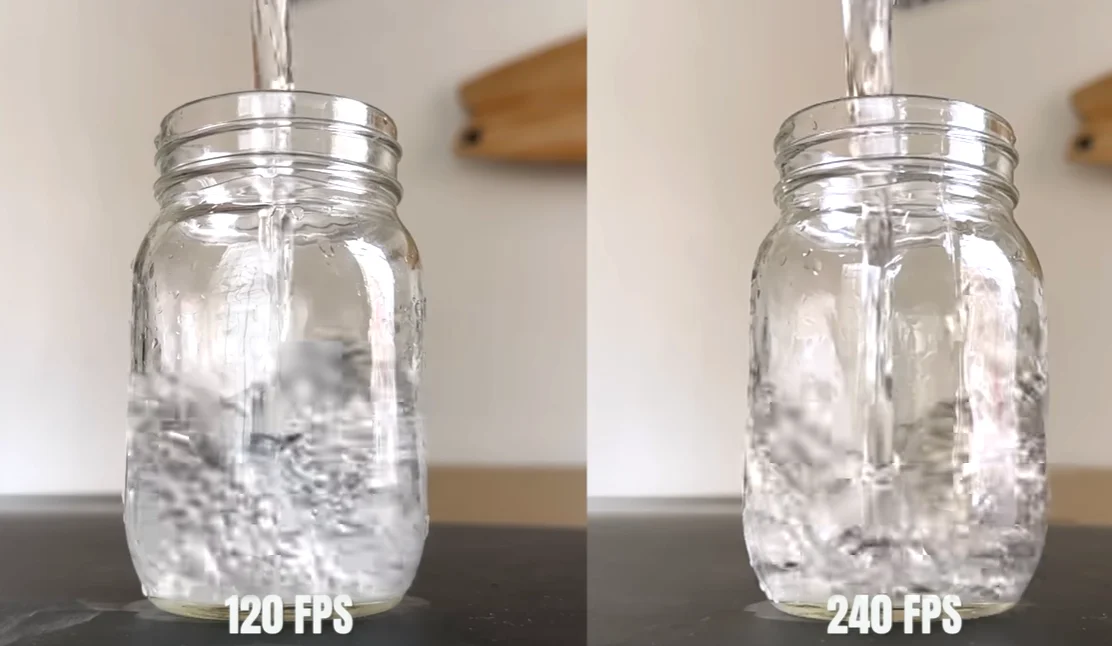
For clean slow motion, 1080p at 120fps is the sweet spot.
Shooting at 240fps creates dramatic effects, but it also produces large files and limits flexibility if it’s overused.
Pros choose frame rates deliberately, not just because the option exists.
Video format – Most Compatible
The ‘Most Compatible’ format makes footage easier to edit, share, and playback across different devices.
Newer compressed formats save space, but compatibility still wins when footage needs to move between platforms.
Stereo audio recording
Video quality means nothing if the audio is bad.
Enabling stereo recording captures fuller sound and better separation.
External microphones help, but this simple setting is an easy upgrade people forget.
Grid and level
Grid and level tools help frame shots cleanly, keep horizons straight, and apply the rule of thirds without thinking about it mid-shot.
Small visual discipline adds up fast.
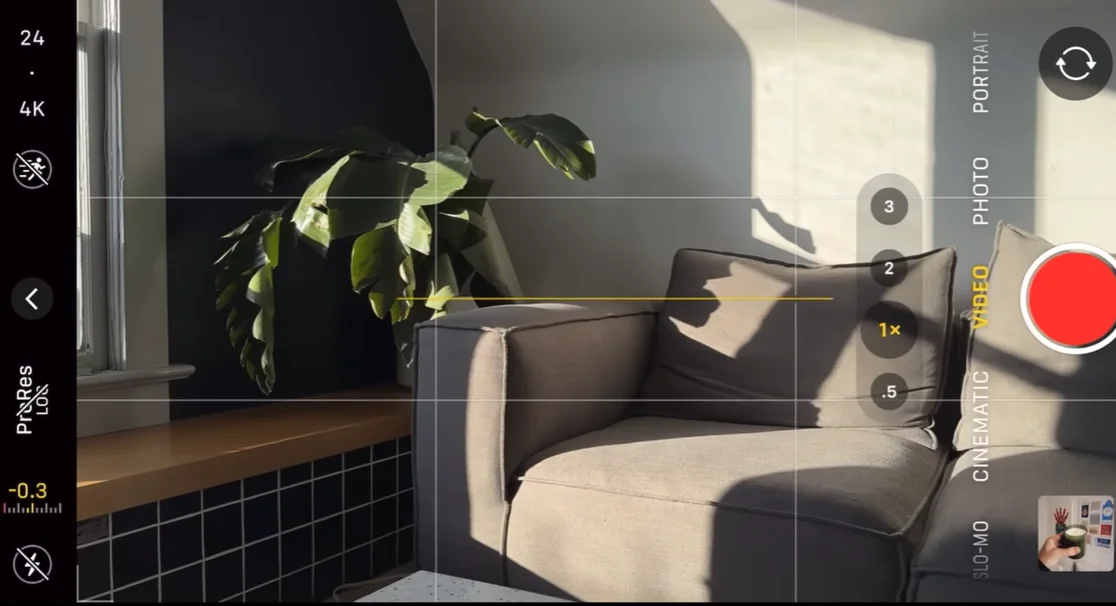
Exposure compensation
Slightly lowering exposure helps protect highlights, especially outdoors.
A small negative adjustment can add depth and prevent washed-out footage before editing even starts.
Macro control
Macro mode loves to activate when you don’t want it.
Disabling it prevents distracting focus jumps and keeps shots predictable unless you’re intentionally shooting close-ups.


Professionals don’t get better iPhone footage because they have better phones.
They get it because they remove surprises, lock their settings, and make the camera behave the way they need it to.
The knowledge behind these decisions is the real upgrade.

DISCOVER SBX CARS: The global premium car auction platform powered by Supercar Blondie
Follow topics and authors from this story to see more like this in your personalised homepage feed and to receive email updates.