Hidden and underused iMessage feature is about to get a big upgrade with iOS 27



Apple is giving one of its best hidden iMessage tools a long-overdue makeover with iOS 27.
While most iOS 27 attention has focused on Apple Intelligence and Siri, a forgotten part of iMessage is quietly getting one of the biggest upgrades in years.
The refreshed feature makes it much easier to send notes without digging through hidden menus.
It could finally convince more iPhone users to make things a little more personal.
Hidden iMessage feature gets its time in the sun
The ability to send handwritten messages in iMessage on your Apple gadgets has been around for years, but there’s a good chance you’ve never used it.
That’s because Apple tucked it away inside the Messages app, and on previous versions of iOS you even had to rotate your iPhone into landscape mode before you could access it.
With iOS 27, that’s all changing.
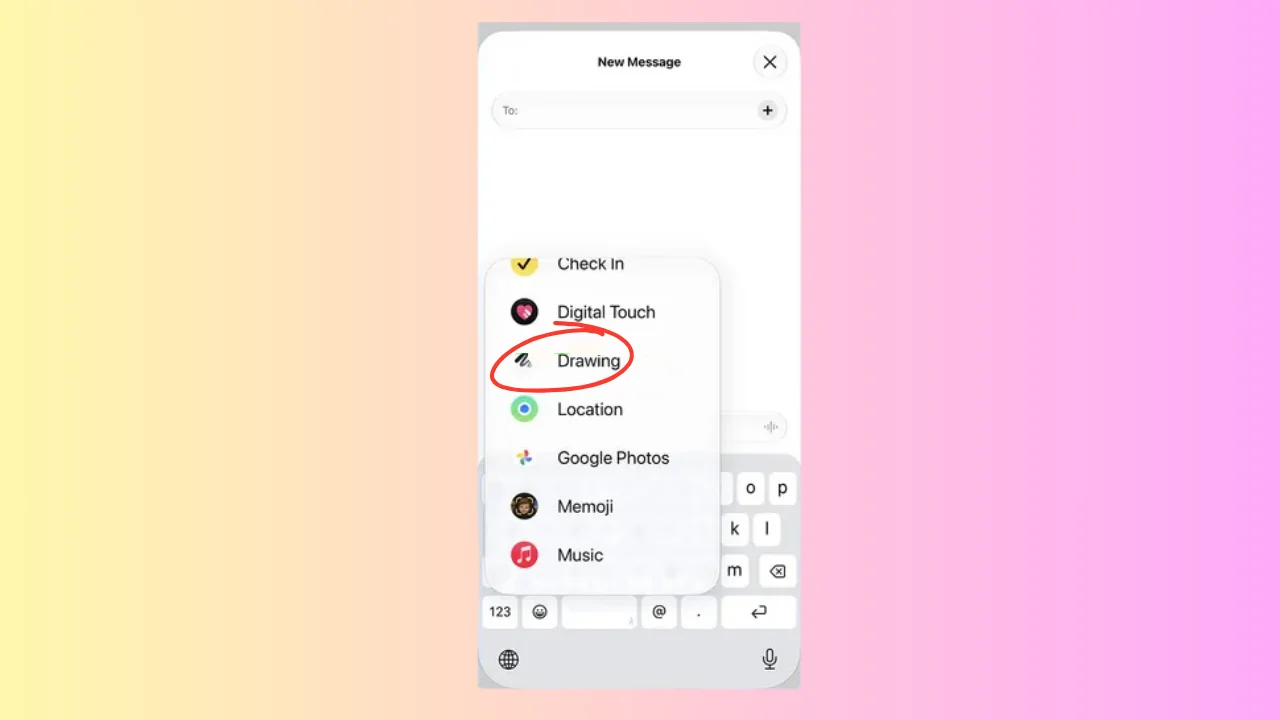
Apple has given the feature its own dedicated Drawing applet inside Messages, making it much easier to discover and use.
Instead of hunting through hidden menus, users can tap the ‘+’ button in a conversation, scroll to Drawing, and immediately start creating a handwritten message or sketch.

The refreshed interface also borrows several tools from Apple Notes, giving users a much more polished experience than before.
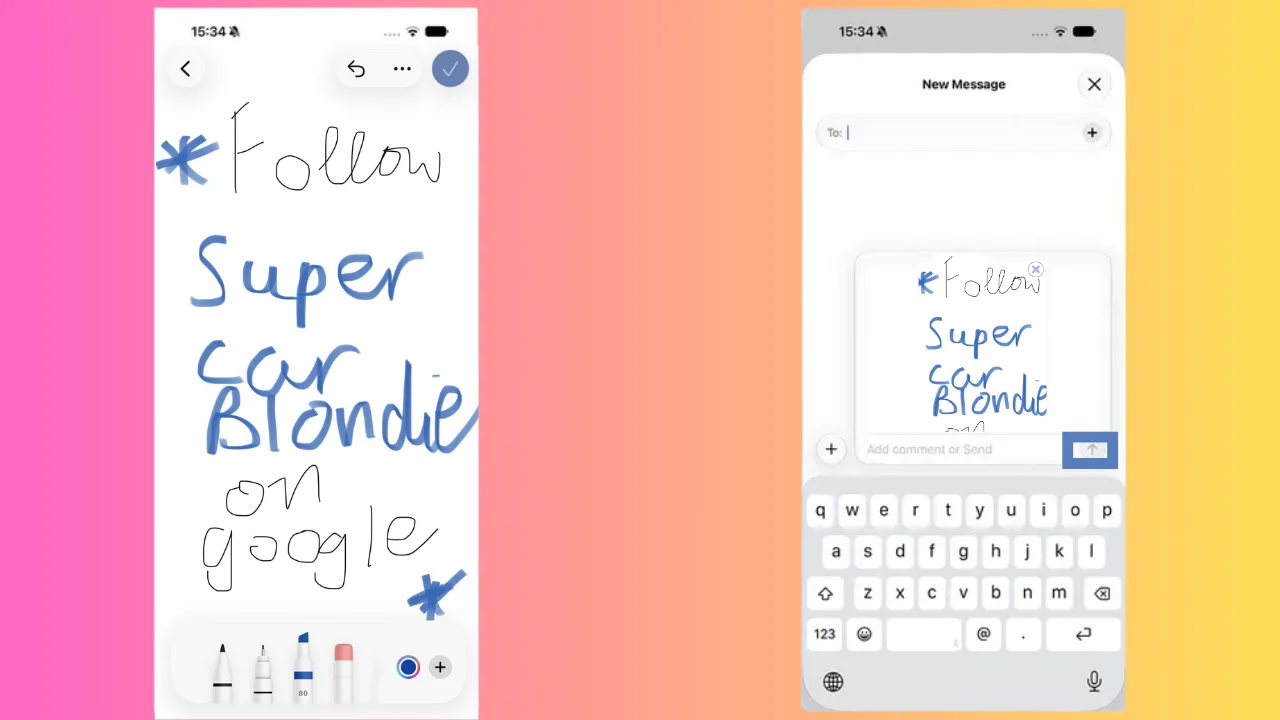
Rather than being limited to a basic scribble, you can choose from different drawing tools, switch between colors, and adjust the thickness of each pen stroke before sending your creation.
Whether you’re writing a quick thank you note, doodling something funny for a friend, or signing your name, the feature now feels far more practical than its predecessor.
iOS 27 upgrade gives it a new lease of life
The biggest improvement isn’t necessarily the new tools – it’s how much easier everything is to access.
Removing the landscape-only requirement means users can create handwritten messages directly from a normal chat without changing the way they hold their phone.
Once a drawing is finished, tapping the blue checkmark drops it straight into the conversation, ready to send.
It’s a small change on paper, but one that removes one of the biggest barriers that stopped people from using the feature in the first place.
The update arrives as Apple continues to refine the iPhone experience with iOS 27, introducing a mixture of AI features alongside smaller quality-of-life improvements that make everyday tasks simpler.
These kinds of updates can have the biggest impact because they’re the ones people end up using every day.
For anyone who enjoys adding a personal touch to their conversations, the revamped Drawing feature transforms what was once one of iMessage’s best-kept secrets into a tool that’s finally easy to find and use.