This 5-step method will help get rid of the random 'System Data' storage on iPhones that mysteriously fills up


The mysterious ‘System Data’ storage issue on iPhones could finally have a surprisingly simple fix thanks to a strange five-step trick shared online.
The annoying problem has frustrated iPhone users for years, with ‘System Data’ sometimes ballooning to take up huge chunks of storage for no obvious reason.
While Apple has never fully explained why it happens, users on Reddit believe they’ve found a workaround that can clear it out in just a few minutes.
And the weirdest part is that the method involves changing your iPhone’s date into the future.
The 5-step storage trick for iPhones
One Reddit user shared a method they claim helped reduce the amount of random ‘System Data’ clogging up their gadget’s storage.
The process is surprisingly simple:
- Turn on Airplane Mode
- Manually change your iPhone’s date to 2027
- Leave the phone alone for around two minutes without opening apps
- Change the date back to the current time
- Turn off Airplane Mode and check your storage
Related


Why this trick could work
The user online claimed the bizarre workaround can force the iPhone to clear out temporary cached files and background system junk that normally stays hidden away.
‘System Data’ on iPhones can include caches, logs, Siri voices, temporary files, and other behind-the-scenes data that builds up over time. In some cases, users have reported it consuming tens or even hundreds of gigabytes.
The issue becomes especially frustrating for people using iPhones with lower storage capacities, as the system files can quietly eat into space needed for photos, videos, and apps.
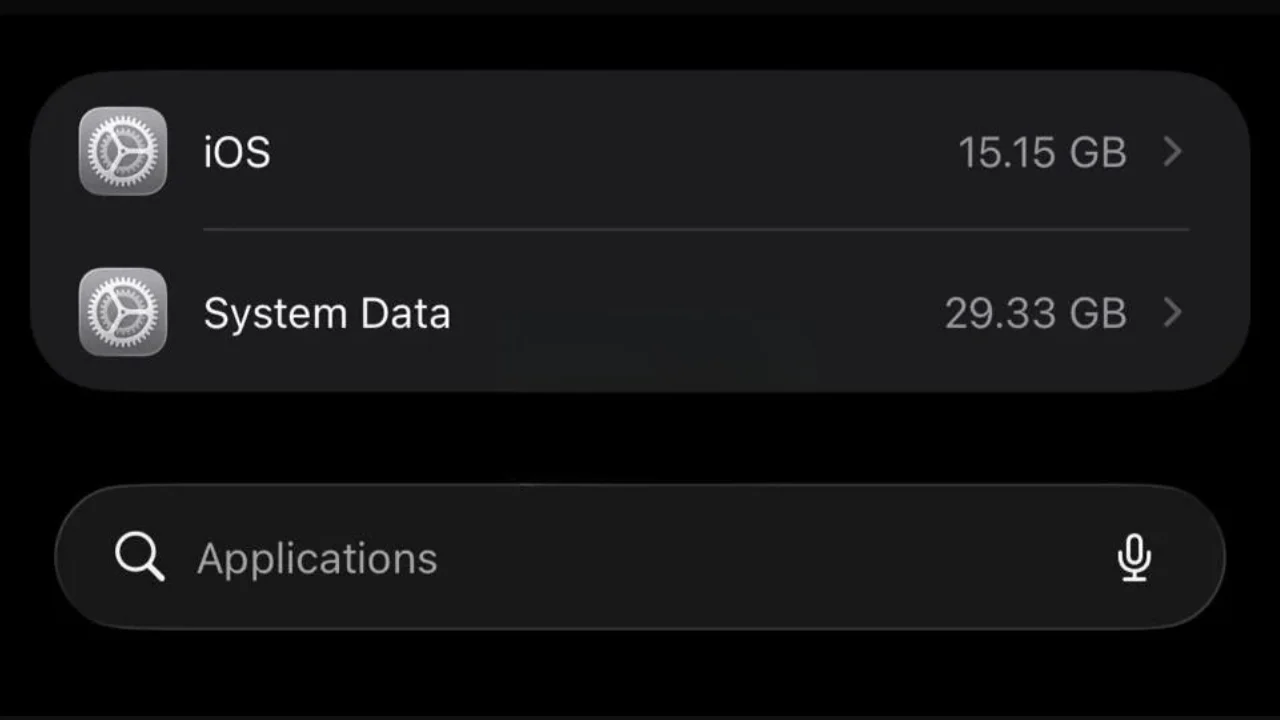
Why the random ‘System Data’ problem annoys so many people
The storage category has become one of the most complained-about parts of iOS because there isn’t a clear way to manually remove much of the data.
Normally, users have to rely on restarting the phone, deleting apps, clearing Safari data, or even fully resetting the device in extreme situations.

That’s why this odd date-changing trick has gained attention online, with users hoping for an easier solution that doesn’t involve wiping their iPhone entirely.
While there is no official confirmation from Apple explaining why the workaround may function, many users say it helped reduce the amount of storage being swallowed up by ‘System Data’.
Of course, results appear to vary depending on the device and iOS version, but for frustrated iPhone owners running out of space, it’s a quick trick that could be worth trying.