These are the hidden new features added to iPhones with iOS 27 that Apple hasn't told you about

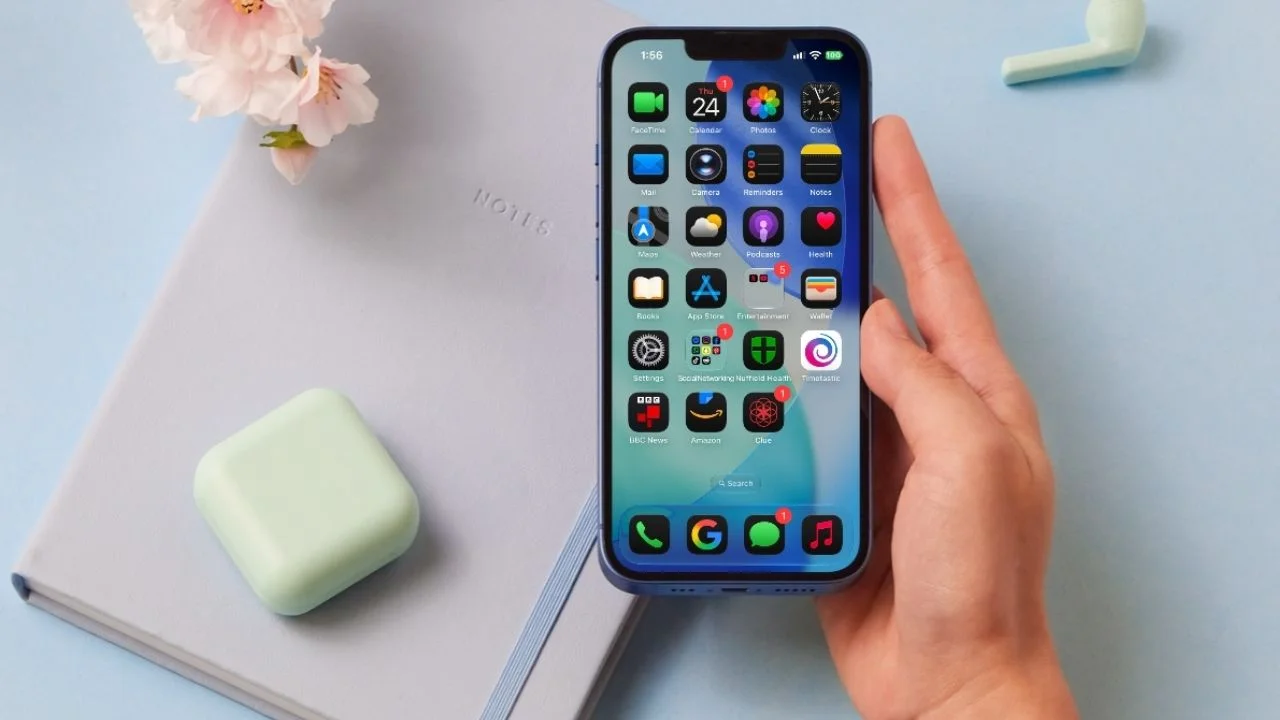

Apple’s latest iOS 27 update for iPhones has introduced plenty of headline features, but some of the most useful changes are hiding in places you might not think to look.
From a clever new Photos filter to changes that make it harder to accidentally ruin your Home Screen, iOS 27 has plenty of smaller upgrades worth knowing about.
Apple hasn’t exactly made a big song and dance about these features, which means many iPhone owners could miss them entirely.
Here are 10 hidden iOS 27 features you might want to try according to a video by Thio Joe.
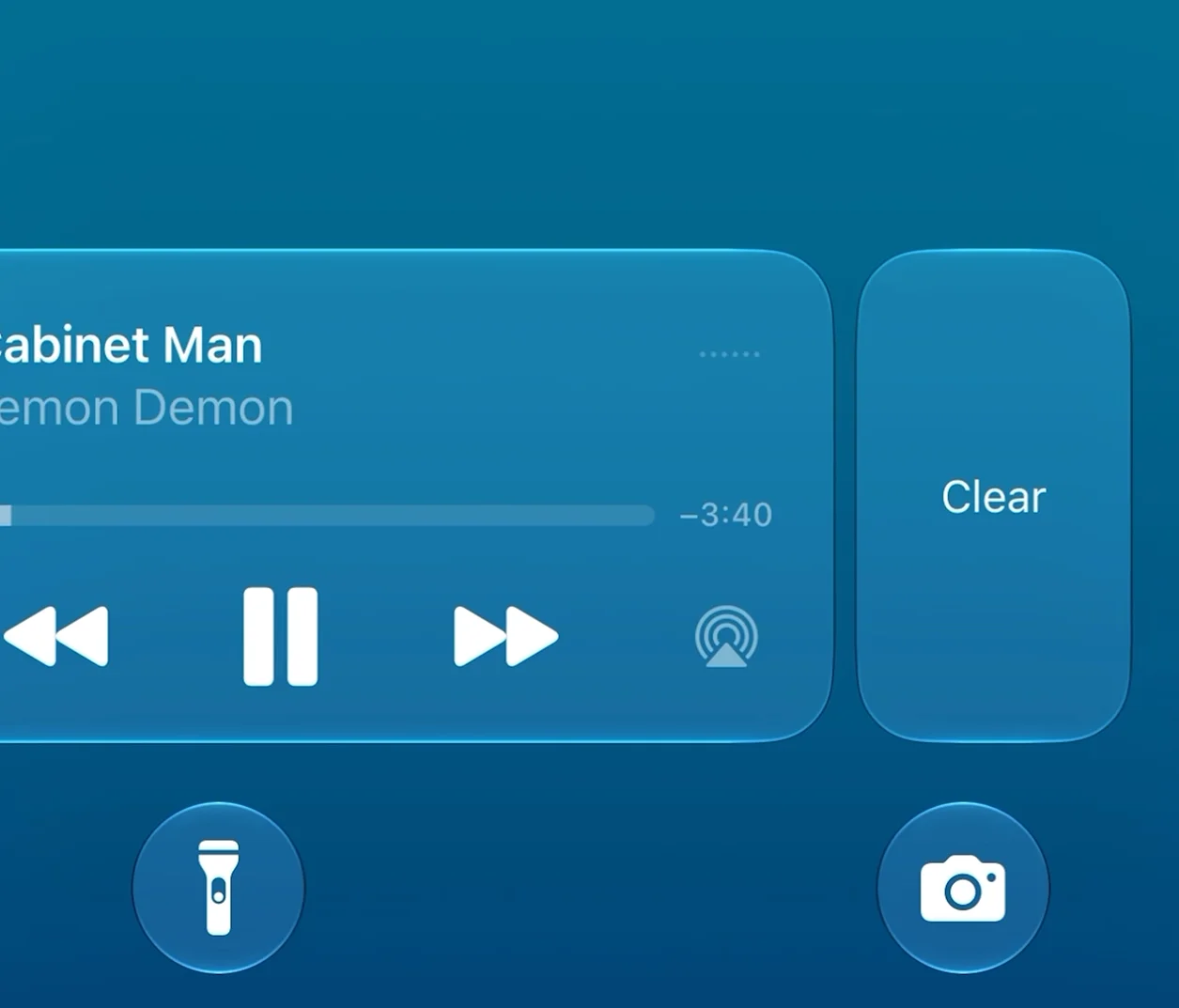
1. You can finally hide the media player
One of the little annoyances with iOS was the media playback notification that could hang around while something was playing on your beloved Apple gadgets.
With iOS 27, you can swipe it away without stopping whatever you’re listening to in the background.
If you head back into the app playing the media, the notification can appear again.
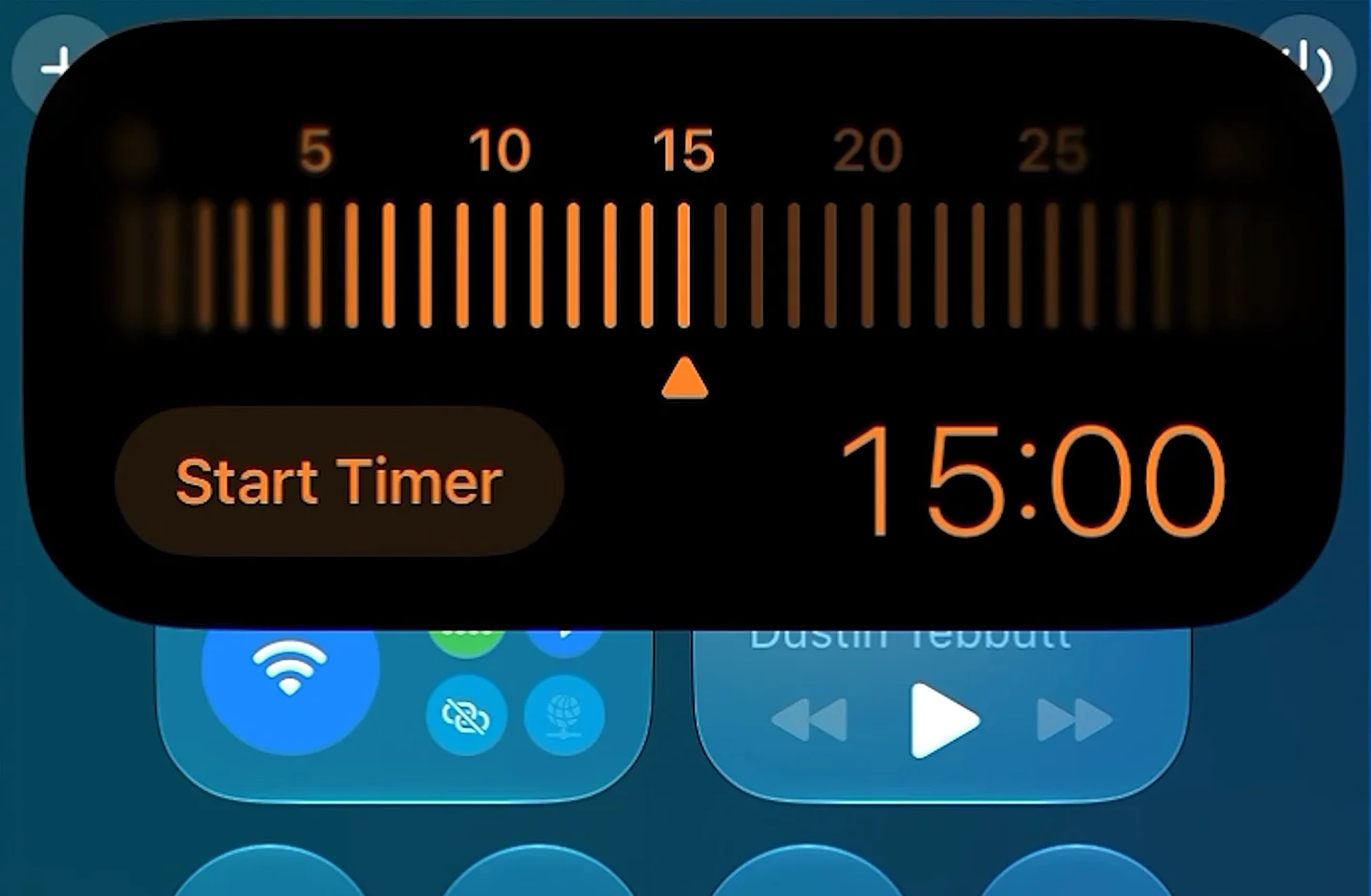
2. The timer now works directly from Control Center
The timer control in Control Center has received a useful makeover.
Instead of immediately opening the Clock app, iOS 27 gives you a dedicated interface where you can scroll to set a duration.
You can also tap the numbers at the top to jump to specific times, making it much quicker to start a timer.
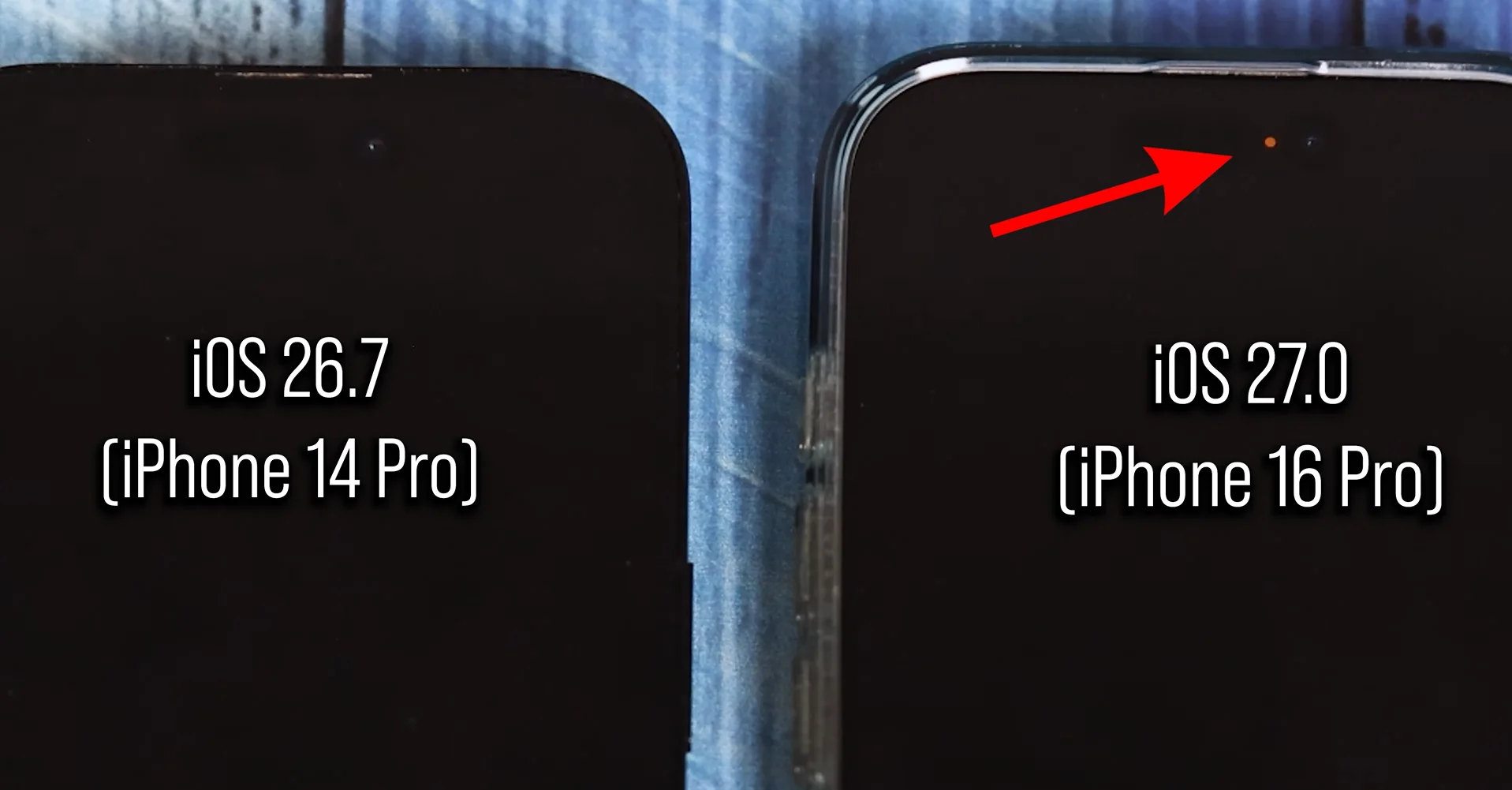
3. Your microphone indicator stays visible when your iPhone is locked
The microphone indicator now remains visible when your iPhone is locked while an app is still using the microphone.
For example, if you’re recording a voice note and lock your phone, the orange indicator dot will remain on the screen, although it becomes dimmer.
It’s a small change, but it gives you a clearer indication that an app is still recording.
4. Moving apps between Home Screen pages is harder to mess up
Apple has added some extra friction when you’re dragging apps between Home Screen pages.
There’s now a slightly longer delay before an app moves across to another page.
That could save you from accidentally dragging a whole collection of apps somewhere you didn’t want them.

5. You can see which photos you actually took with iOS 27
This could be one of the most useful hidden additions for anyone with a seriously chaotic camera roll.
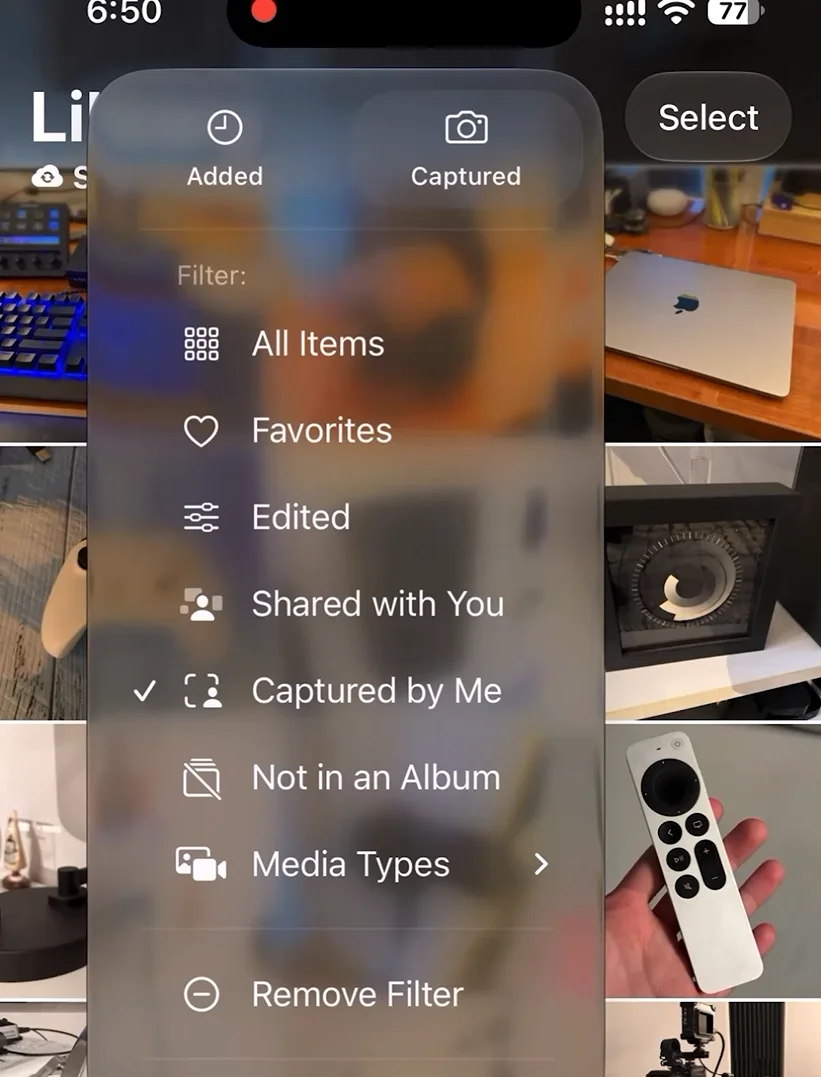
A new ‘Captured By Me’ filter in the Photos app lets you view photos and videos actually taken using your iPhone’s camera.
That means screenshots, screen recordings, downloads and photos taken by other people are left out.
You can even combine it with other filters, such as showing photos that aren’t already in an album.
6. You can save a video frame as a photo
There’s also a new option for videos in the Photos app.
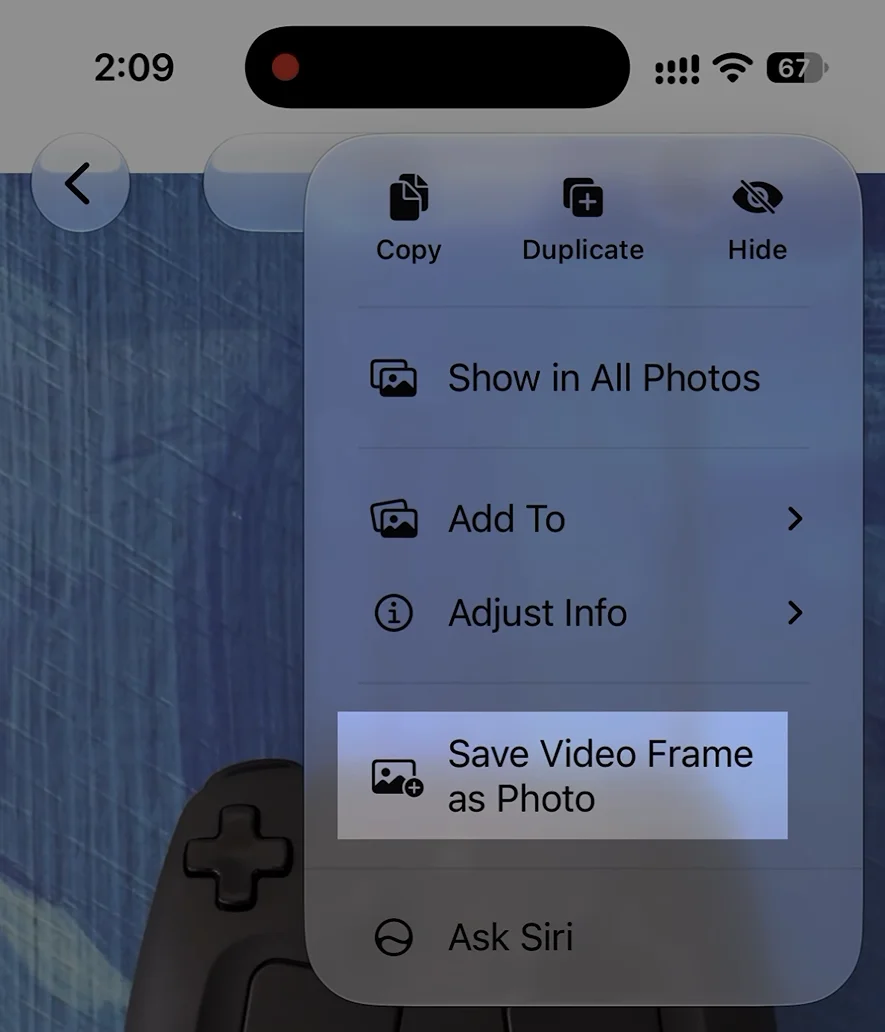
Tap the three-dot menu while watching a video and you’ll find an option to save the current frame as a photo.
It’s a much easier way to grab a particular moment from a video without having to take a screenshot and crop it yourself.
7. You can temporarily hide your location thanks to iOS 27
iOS 27 has given users more control over when their location is visible to people they’re sharing it with.
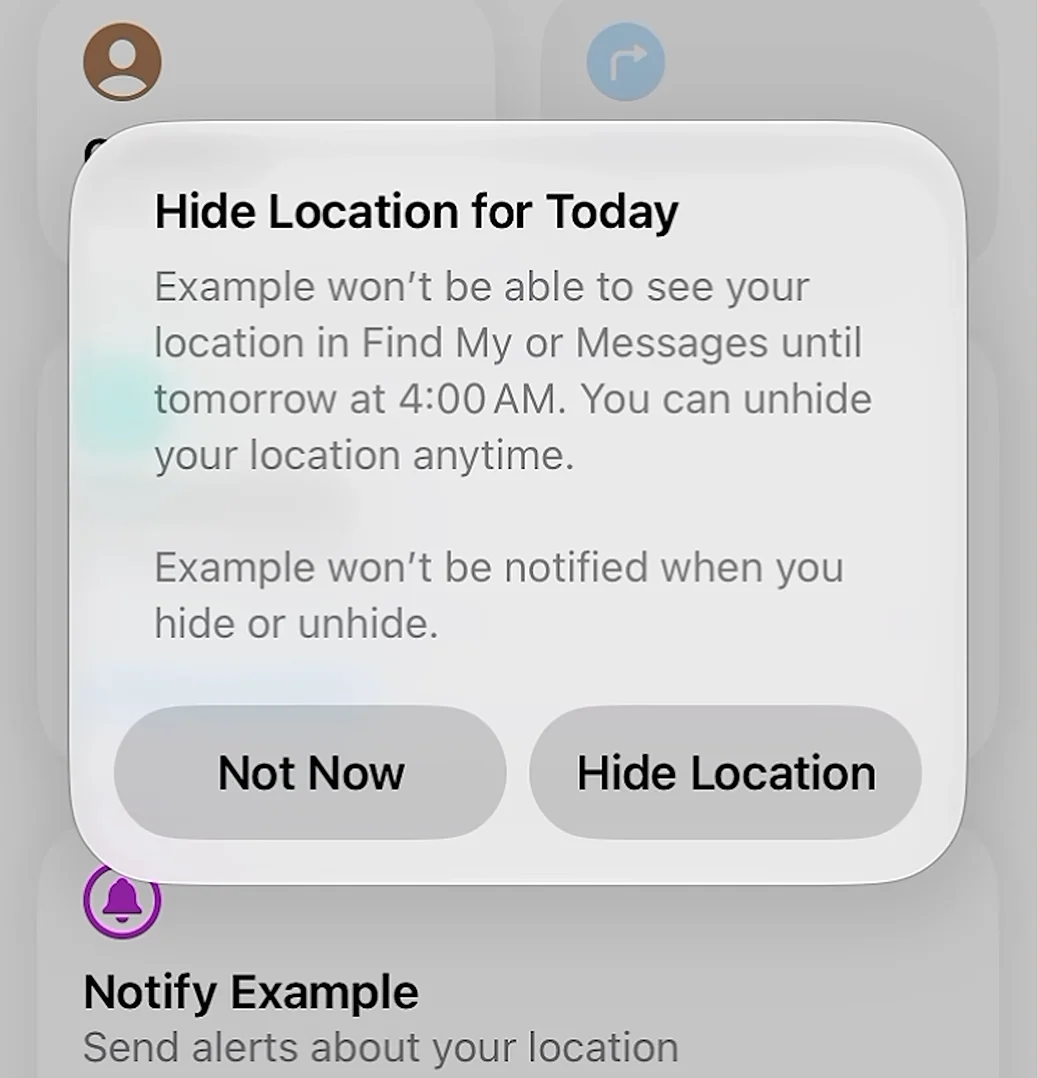
You can now choose a custom location-sharing duration, ranging from 15 minutes all the way up to 30 days.
There’s also an option to temporarily hide your location from someone you’re already sharing it with, but according to a video by Thio Joe, it automatically becomes visible again after around 12 hours.
8. You can see what type of Wi-Fi you’re using
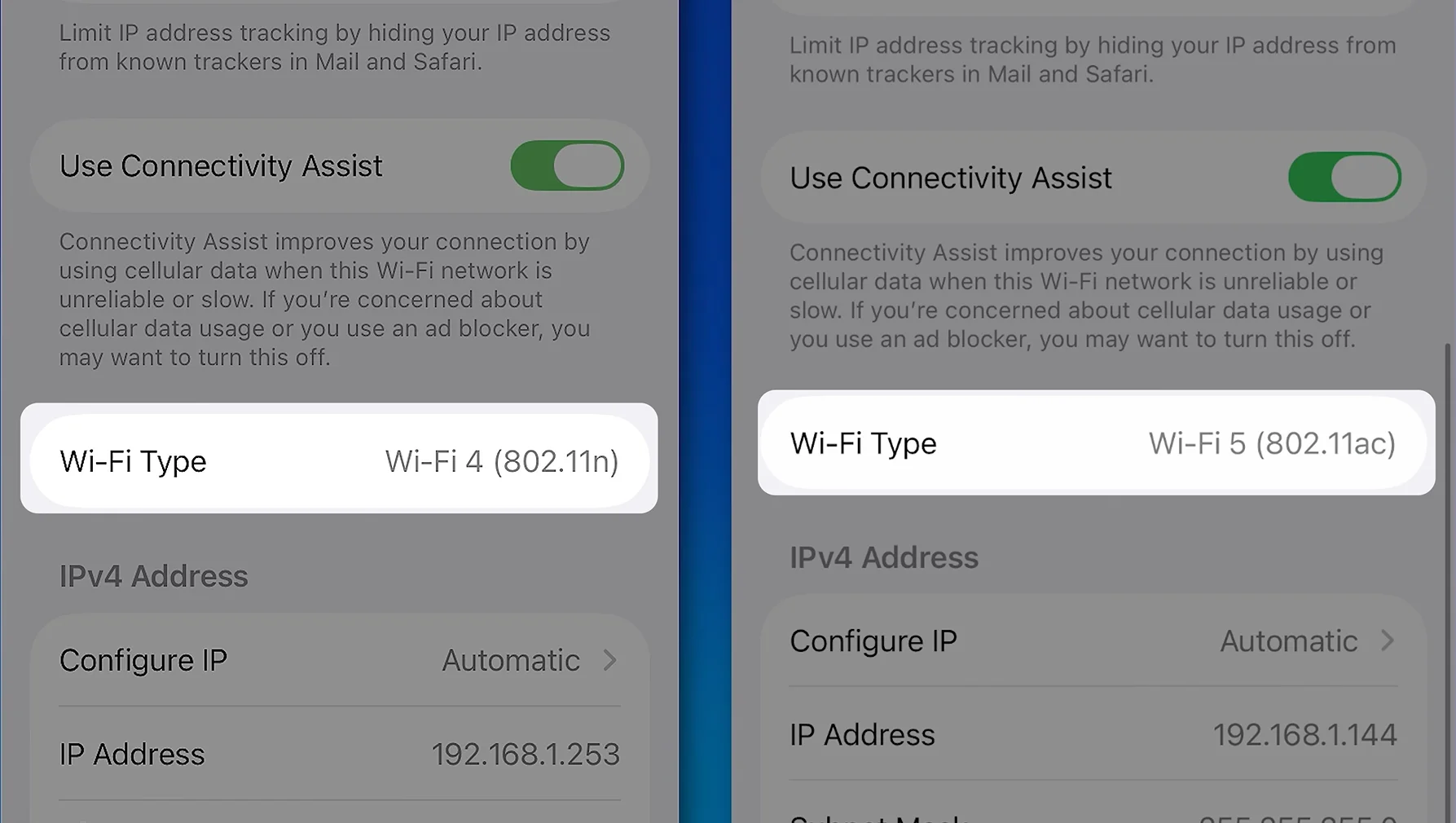
There’s a new Wi-Fi Type field hiding in your network settings.
Depending on your connection, it can show information such as Wi-Fi 5 or 802.11ac.
Most people won’t need to check this, but it’s useful if you’re troubleshooting your connection or simply want to know what kind of Wi-Fi you’re actually using.
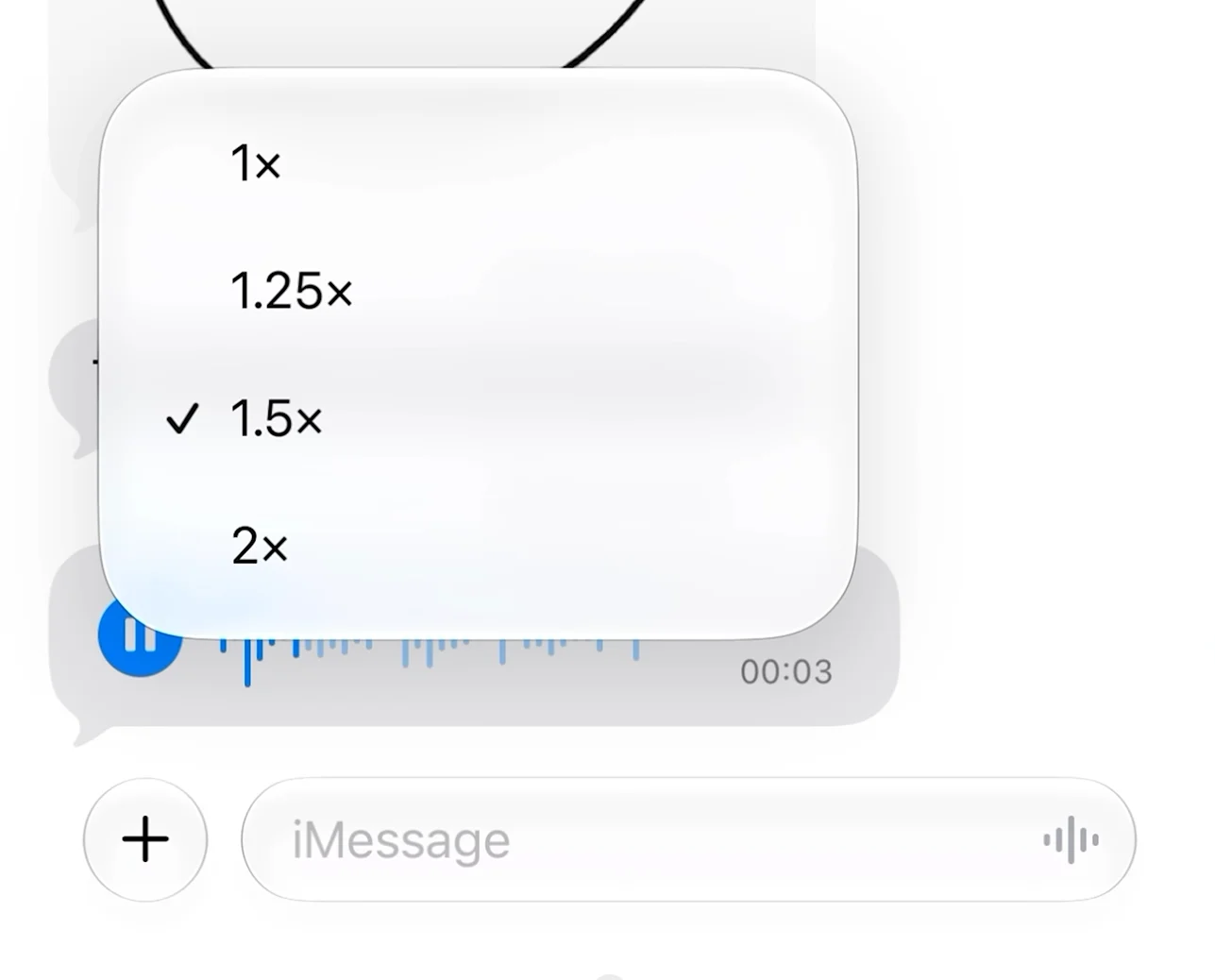
9. Voice messages can be played faster more easily with iOS 27
If you regularly receive long voice messages in iMessage, this could be a useful time-saver.
iOS 27 makes the playback-speed control much easier to access when listening to a voice message.
The feature existed before, but it was hidden behind a long press on the play button.
And if you never use voice messages, you can now remove the voice-message button from the Messages text field entirely.
10. The Camera app has more customizable controls
Depending on your iPhone model, the Camera app now has additional controls that can be accessed by swiping up from the bottom.
On supported models, these can include options such as depth, Night mode and format.
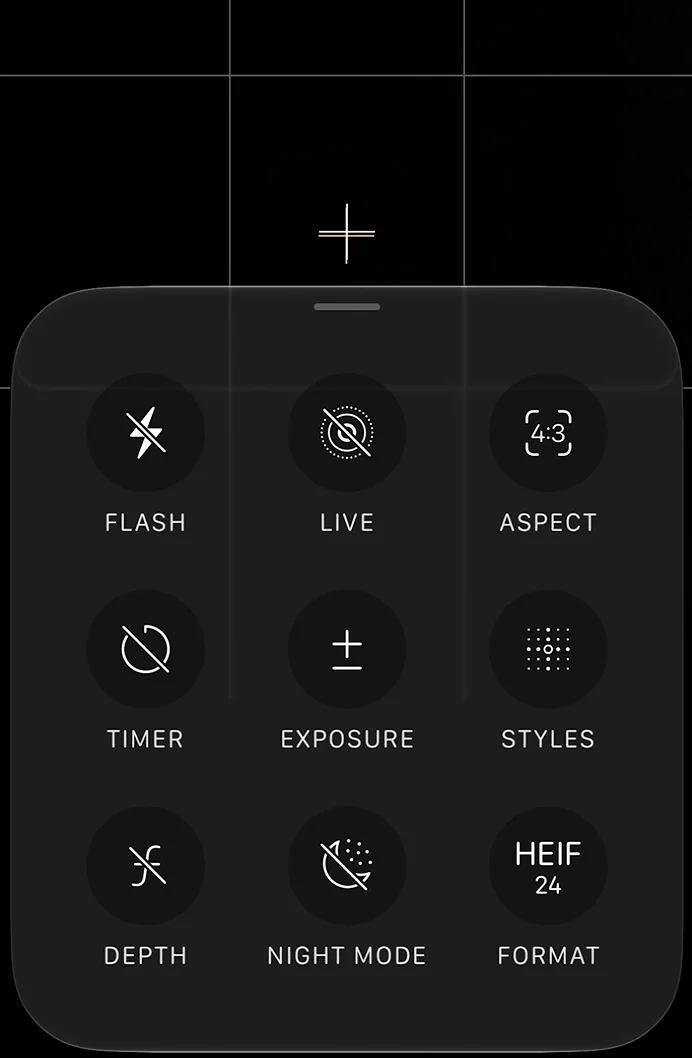
You can customize which controls stay visible in the top bar and rearrange them too.
Even the flash has been tweaked, with the option now cycling directly between Auto, On and Off instead of requiring a long press to force the flash on.
